

The Moving Checklist That Finishes Tasks With You: Inside Don't Forget™ and Do It Now™
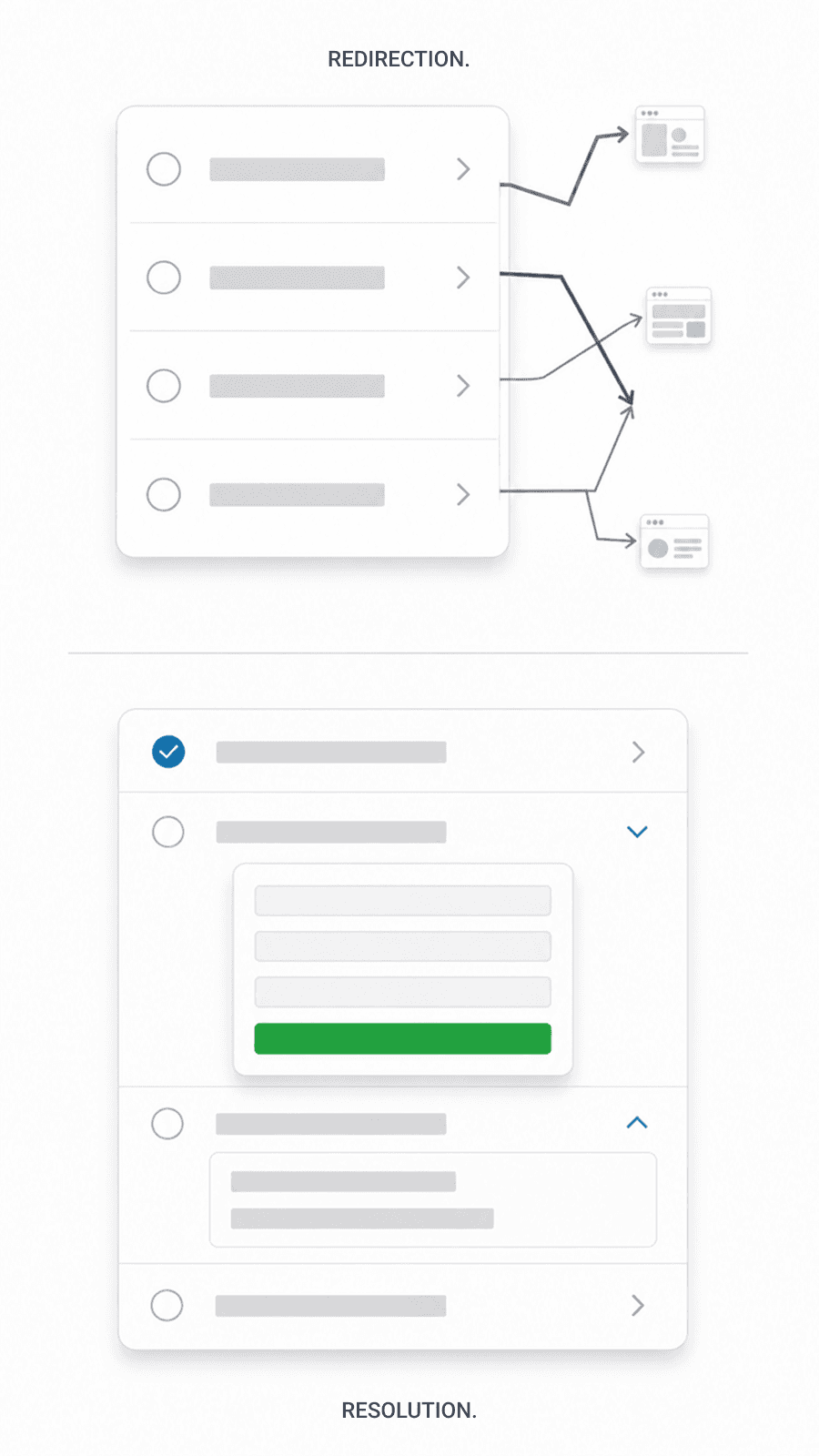
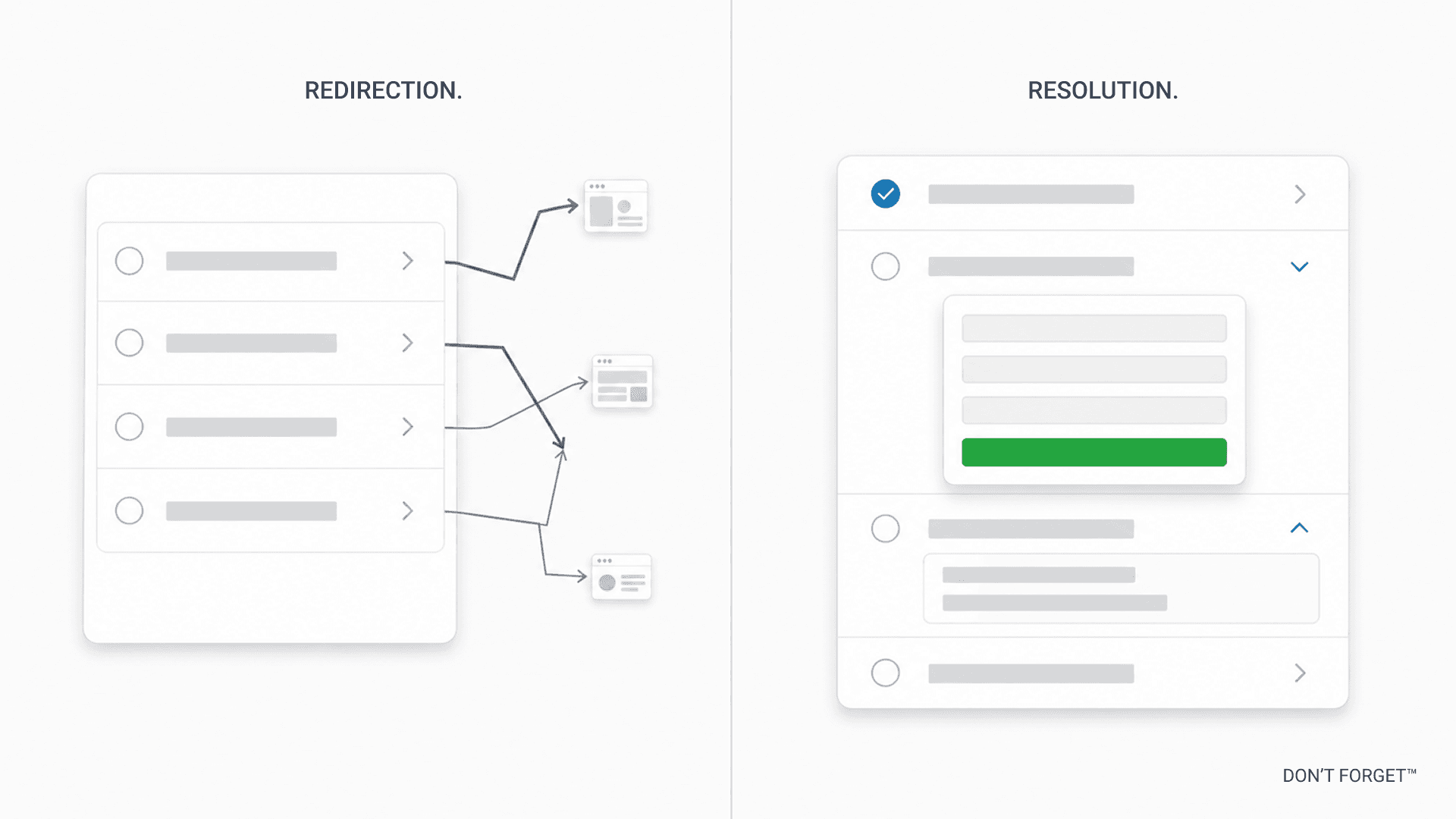
Every other moving checklist on the internet is built on the same assumption: if we list everything, you won't forget. But forgetting was never the problem. The problem is the doing — every task is its own quest that pulls you off the list and into a blackhole time sink. Don't Forget™ was built differently. Do It Now™ is the system in the system that lets you finish moving tasks without ever leaving the checklist!
If you're reading this, you're probably moving. You've already discovered the part nobody warns you about: it's not the lifting, it's the administration. Twenty institutions you've never thought about all need to know your new address by a slightly different deadline, in a slightly different format, through a slightly different channel. You opened a moving checklist looking for help, and what you found was a longer list.
Don't Forget™ is built around a different idea. There's a system in the system. We call it Do It Now™. Do It Now turns the most consequential tasks on the checklist into interactive workbenches you complete inline, in minutes, without leaving the page. As of this writing, twenty tasks across ten different workbench families are wired up. The library grows on a regular basis, because every static task on the checklist is a candidate for Do It Now.
Here's why we built it this way, what it actually does, and what's coming next.
Why moving is genuinely hard
Moving is a giant, time-sucking, stress-inducing exercise in project management. You make a list, you work the list, you finish. Every other moving checklist on the internet is built on this assumption.
It's wrong. Moving is structurally harder than a list, in three specific ways.
First, time-locked sequencing. Many moving tasks can't happen in any order. You can't connect new utilities until your closing or lease date is fixed. You can't update your driver's license until you've physically moved — most states give you 30 to 60 days after the move, not before. USPS forwarding has to be timed against your actual move date, and even then, first-class mail forwards for 12 months while periodicals stop after 60 days. Get the sequence wrong and you pay for two utility hookups, miss a tax notice, or drive on a license that's been quietly suspended in your new state.
Second, timing-judgment windows. Some tasks have no hard deadline — but they have a right window, and most movers don't realize the window exists. Junk removal is the canonical example. Schedule the haul too early and you'll find more junk after the truck leaves. Schedule too late and you're paying weekend-emergency rates while everything else on moving week is also on fire. The right window is one to two weeks before the move, after you've started packing and made the real decisions about what's coming with you. Nobody tells movers this. They default to "I'll deal with it later" and end up with a permanent garage clutter pile or a rushed Sunday booking.
Third, hidden imperatives. The most consequential tasks aren't always the ones movers know to look for. Change your locks at the new place — the previous owner's housekeeper, contractor, ex-partner, or neighbor still has a key, and you have no idea who they handed copies to. File IRS Form 8822 — if you don't, the IRS uses your old address as your "last known address" for legal notices, and a tax dispute can be deemed served whether you ever see the letter or not. Update your auto insurance — moving isn't an address change, it's a re-rating event, and your premium can swing 20% in either direction depending on the new ZIP code. None of these tasks announce themselves. Movers learn about them after the consequences land.
Movers know, intuitively, that all of this is true. They search for help. What they find is the second problem.
Why every other moving checklist sucks
Every "moving checklist" on the internet — from Updater to Move.org to the printable PDFs your real estate agent emails you — treats moving as a memory problem. The implicit theory is: if we list everything, you won't forget anything.
But forgetting was never the bottleneck. The bottleneck is the doing. Each task on a checklist is its own sub-quest. You read "update auto insurance," close the master list, open a new tab, fight through Geico's address-change portal, get bounced to a different page because you also need to add a new policy at your new address, lose your place in the master list, come back the next day, can't remember which task you were on, and start over. Then you do that for the next twenty-nine tasks. Most movers don't actually finish a moving checklist. They use it as anxiety relief — proof to themselves that they thought about moving — and then quietly let it die.
This isn't a problem any list can solve. Adding more items, prettier design, better PDF layouts, push notification reminders — none of it changes the structural failure. The list is being asked to do something a list can't do: actually complete the tasks.
The market response to this has been to add reminders, send emails, and call the result "smart." A static checklist with a notification engine is still a static checklist. The work still happens somewhere else, on someone else's surface, in someone else's flow.
This is the gap Don't Forget was built to close. We didn't make a longer list. We made a checklist that does the tasks with you.
How Do It Now™ actually works
[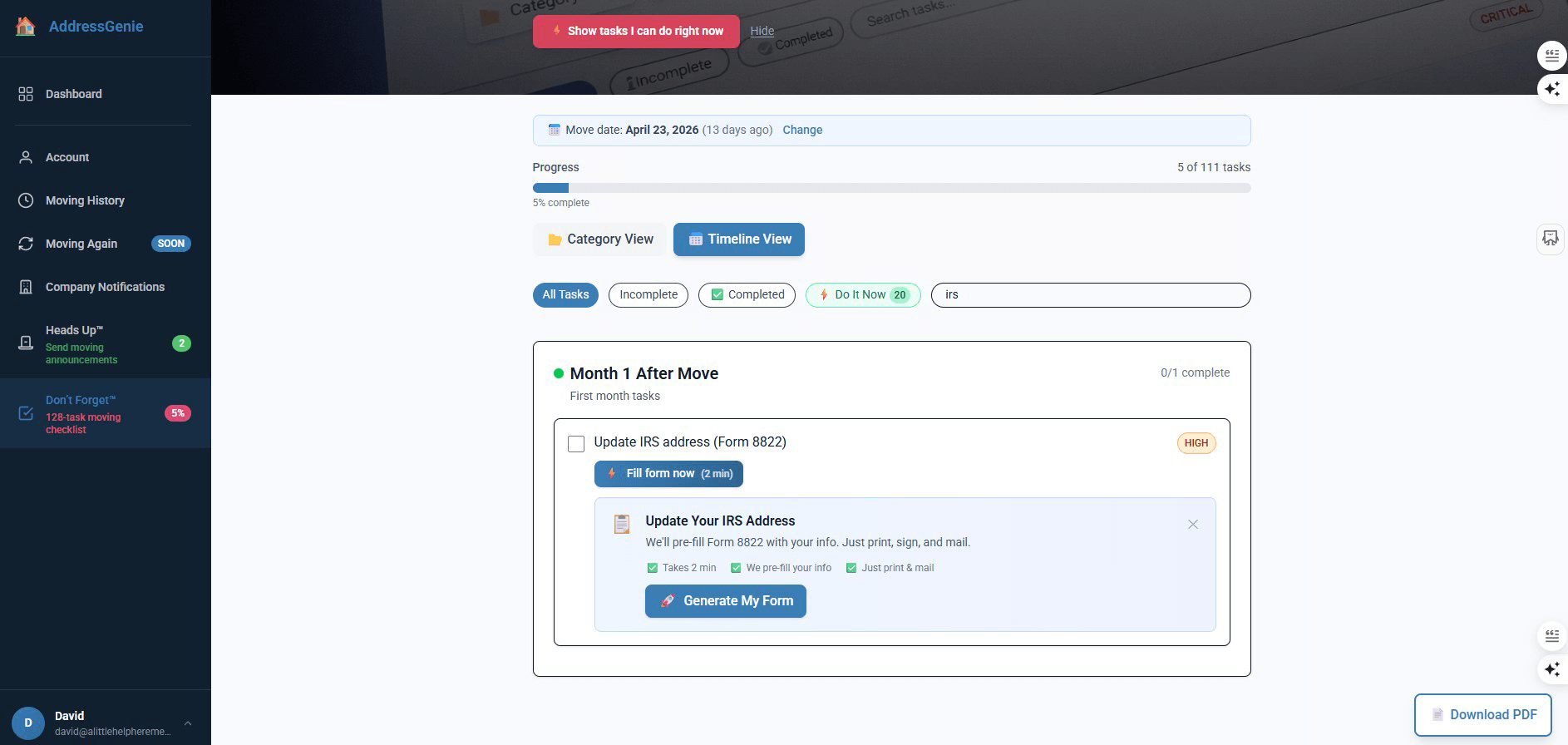 Image: IRS Form 8822 workbench screenshot — DeeGee uploading separately]
The mechanics are simple:
You open the Don't Forget™ checklist. Tasks with a workbench have a green "Do It Now" badge.
You click the badge. The workbench opens inside the checklist surface — it doesn't redirect you to another site, doesn't open a new tab, doesn't lose your place in the list.
The workbench does the bulk of the task using information you've already entered. Pre-filled forms, looked-up provider info, routed paperwork, generated PDFs, vendor matching.
You complete the only parts a human has to do: confirm the details, sign your name, hit submit.
The task auto-completes on the checklist. If two related tasks belong to the same workflow (like disconnect old electric and connect new electric), they update together.
The IRS Form 8822 workbench in the screenshot above is a representative example. The form itself is a federal document the IRS does not let you file electronically. So we don't pretend you can. What we do is fill out everything except the signature, look up the correct IRS service center based on the state you're moving from (the IRS uses different addresses for different regions), and generate a print-ready PDF with the right mailing instructions on a cover page. You print, sign, mail. The 30 minutes of "where do I find the right IRS address" research goes away.
Other workbenches do other versions of this. The DMV workbench knows your new state's specific requirements, finds DMV offices near your new address, and tracks the deadline. The internet provider workbench pulls live pricing from every ISP at your new ZIP and lets you compare new-customer deals against simply transferring your existing plan — most movers save $20-40 per month by switching. The locksmith workbench connects you with verified pros via Angi at your new address. The home insurance workbench compares quotes from the major carriers without you re-entering your information four times.
Every workbench is a discrete piece of engineering. There's no config flag that turns a static task into a Do It Now task. We have to design the flow, build the modal, integrate the data sources, handle the edge cases. That's the point. It's why this experience can't be cloned by a competitor copying a checklist template.
The current Do It Now™ workbench library
As of this writing, there are ten workbench families covering twenty tasks across the Don't Forget™ checklist. Here's what's live today.
Government & Tax
DMV update — Your new state's specific license requirements, nearby DMV offices, deadline tracking. Most states require a license update within 30-60 days of moving. Read the deep-dive
IRS Form 8822 filer — Pre-filled change-of-address form, routed to the correct IRS service center based on your old state, print-ready PDF. (Deep-dive coming soon.)
Utilities
Gas, electric, water connection — At your new address, finds your provider, walks you through scheduling connection for your move date or the day before.
Gas, electric, water disconnection — At your old address, finds your old provider, schedules the disconnect for the day after you move so you don't pay for two services or sit in the dark before you leave.
Internet provider — Live plans and pricing from every ISP at your new ZIP. Movers save $20-40/month on average by comparing new-customer deals instead of transferring an existing plan.
Trash & recycling — Auto-detects whether your new city handles trash municipally or by private hauler, walks you through setup at the new address and cancellation at the old.
Home & Security
Locksmith (via Angi) — Verified locksmith pros at your new address. Most movers underestimate how many copies of the old keys are in circulation.
Junk removal (via Angi) — Pre-move (1-2 weeks before, when packing decisions are made) and post-move (1-3 weeks after move-in, when fit decisions surface). Two separate workbenches because the windows are genuinely different.
Home security (via ADT) — Free quote at your new address, ADT specialist follow-up within one business day.
Insurance
Auto, homeowners, renters insurance — Compare quotes at your new address. Auto insurance especially: moving is a re-rating event, not an address change. The same policy can cost 20% more or 20% less depending on your new ZIP.
Social
Heads Up™ moving announcements — Sends free, beautifully designed e-cards to your contacts to announce your new address. Heads Up™ is its own product surface inside AddressGenie. Read the launch post
The library updates whenever a new workbench ships. We don't sit on announcements — every new workbench gets a deep-dive blog post when it launches, and the entries above auto-update from the same data file the live checklist reads from. If you're reading this and the count is higher than ten workbench families, that's by design.
What's shipping next
The roadmap is intentionally public, because the strategy commits to it. Every static task on the Don't Forget™ checklist is a candidate for upgrade into a Do It Now™ workbench. The order is driven by what saves movers the most pain and money.
In active development:
Voter registration update — Your new state's specific re-registration process, deadlines (some states have surprisingly tight windows around elections), and direct links into the official portals.
Bank address update workflow — Most movers update three to five financial accounts manually. We're building a multi-bank workbench that recognizes your patterns and walks you through them in sequence.
On deck:
Mail forwarding setup with USPS Form 3575 pre-fill (the same approach as IRS 8822, with the state-by-state nuance USPS doesn't make obvious)
Subscription cancellation queue — for the streaming services, meal kits, and recurring orders that need updating but tend to slip
Pet license transfer — most cities require a new pet license within 30 days of move-in, and most pet owners don't know
If you have a moving task that has cost you real time or money and you wish a workbench existed for it, tell us. Workbench priorities are partly driven by what we hear from movers actively in the middle of a move.
Why this is harder than it looks (and why competitors haven't done it)
A reasonable question: if Do It Now™ is genuinely useful, why hasn't every moving checklist company on the internet built something similar?
The answer is structural. A static checklist is a content product — you write it once, you publish it, you optimize for SEO. The marginal cost of adding the 129th item is approximately zero. Every checklist company on the internet has optimized for this content production model.
A workbench library is a software product. Each workbench is a discrete piece of engineering: a modal component, a data integration, a stateful flow that handles the edge cases (what if the user's new state requires a different form? what if the provider isn't in our database? what if the user is changing addresses internationally?). The marginal cost of adding the eleventh workbench is not zero. It's the cost of designing, building, and shipping a small but real product.
This means a competitor who wants to match Do It Now™ has to choose: rebuild as a software company, or stay a content company. Most have made the rational economic choice for their model — they've stayed content companies. The result is that the competitive moat around Do It Now™ widens with every workbench we ship, because closing the gap requires not a content sprint but a 12-to-24-month product transition.
We made the harder choice up front. Don't Forget™ has been a software product since the beginning, with the checklist as the content layer on top. That's what makes the workbench library possible. It's also why the cadence of new workbenches will keep accelerating — the underlying infrastructure compounds, the data integrations get reused, the design patterns get standardized.
We don't expect anyone to take our word for that. Try the checklist. Open a workbench. See whether the work is actually getting done inside the surface or whether you're being handed off to a different site. The proof is in the doing.
Try Don't Forget™
The full Don't Forget™ moving checklist is free, no account required to start. If you create a free account, your progress saves across devices, you get reminders timed to your move date, and any workbench that requires personal information (like the IRS 8822 pre-fill) will use what you've already entered.
If you want the full address-update service — the one that updates USPS plus 6,000+ banks, utilities, subscriptions, and other companies in one form — that's AddressGenie at $39.95. It's a separate product. The moving checklist and Do It Now™ workbench library are free.
About the Author
David Gould (DeeGee) is the founder of AddressGenie, which he has run since 2017. He holds a B.A. in Economics, magna cum laude, from Colgate University and an M.B.A. with distinction from Harvard Business School. Before founding AddressGenie, he served as CEO of multiple companies across financial services, B2B, and consumer industries.
AddressGenie has helped more than 500,000 Americans manage one of the most overlooked parts of moving: updating their address everywhere it matters. The platform serves more than 250,000 new movers each year and maintains a database of over 2 million records covering 6,000+ companies and 20+ categories — one of the most comprehensive change-of-address resources in the United States.
Connect with David on LinkedIn.